Introducing the Revamped IP ServerOne Customer Portal
Content
3. Important Navigation Changes
4. What’s New in the Revamped Portal
4.1 A Redesigned Portal Experience
4.2 Get a Better Overview with the New Dashboard
4.3 A Dedicated Notification Center
4.4 Better Cloud Credit Management
4.5 A New Project Management Experience
4.6 Enhanced NovaCloud Management
4.7 More Control with Custom Roles in Delegate Access
4.8 Improved Billing & Payment Management
Built Around Your Feedback
In May 2025, we began a major initiative to revamp the IP ServerOne Customer Portal, shaped by our customer feedback, usage insights, and the challenges you shared with us over the years.
The revamped portal will be available to all customers from 15 September 2026.
Designed to simplify workflows, improve navigation, and make cloud resource management easier, the revamped portal introduces a refreshed interface, improved usability, and new features—all while keeping your existing services and configurations unchanged. Your NovaCloud instances, NovaGPU instances, volumes, snapshots, networks, and other active services will continue to operate normally.
This guide highlights what’s changed, what’s new, and where to find the features you need.
What’s New at a Glance
| Area | Highlights |
| Portal Experience | Refreshed interface, responsive design, simplified navigation, Light & Dark Mode |
| Dashboard | New widgets for services, cloud usage, spending, notifications, and activities |
| Cloud Credit | Dedicated Cloud Credit management page |
| Projects | Improved Project-based resource management |
| NovaCloud & NovaGPU | Enhanced instance, volume, network, alarm, and activity log management |
| Delegate Access | New Custom Roles for granular cloud resource permissions |
| Billing & Payment | Easier invoice management, payment tracking, and renewals |
| Data Center | Improved visitation booking experience |
| Checkout | Simplified tax declaration workflow |
| Productivity Enhancements | Search, filters, sorting, bulk actions, and other usability improvements |
Note: Some features and menu items may only be visible if you have the corresponding service or permissions enabled on your account.
⚠️ If some icons or interface elements appear missing after the update, simply clear your browser cache and refresh the page.
Important Navigation Changes
To make commonly used features easier to access, several menu items have been reorganized.
What’s Changed?
- Projects now have dedicated pages, making it easier to organize and manage cloud resources.
- New Order has been renamed to Create.
- Renewals has moved under Billing & Payment.
- Cloud Credit now has its own dedicated management page.
- Limits, Data Transfer, and Transactions are now grouped under Usage.
- The All Products page has been removed. Active and inactive services can now be found under My Services.
- The Cloud Calculator is now available directly from the menu for easier and faster access.
- The Cloud Instance and GPU Instance menus have been renamed to NovaCloud Instances and NovaGPU Instances for clearer identification.
- Cloud Credit and Access Management Mode are available from the banner on desktop and under My Account on mobile.
If you’ve used the previous portal, these are the changes you’ll notice first.
What’s New in the Revamped Portal
1. A Redesigned Portal Experience
The portal has been refreshed with a cleaner, more consistent experience across desktop and mobile devices.
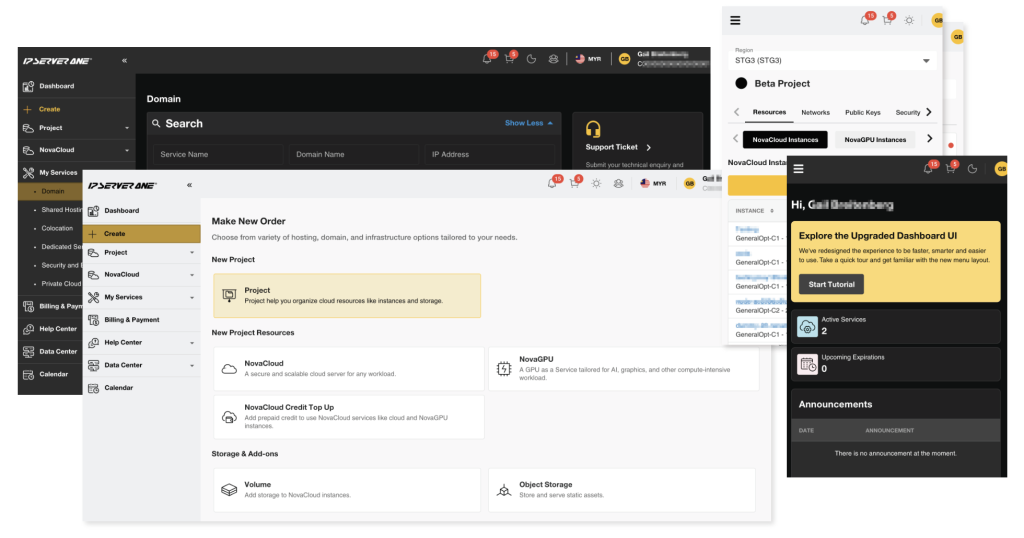
Key improvements include:
- Mobile-responsive design
- Light and Dark Mode
- Simplified navigation
- Reorganized account and service management
- Streamlined workflows for common tasks
The interface has also been updated to better align with IP ServerOne’s branding and visual identity.
2. Get a Better Overview with the New Dashboard
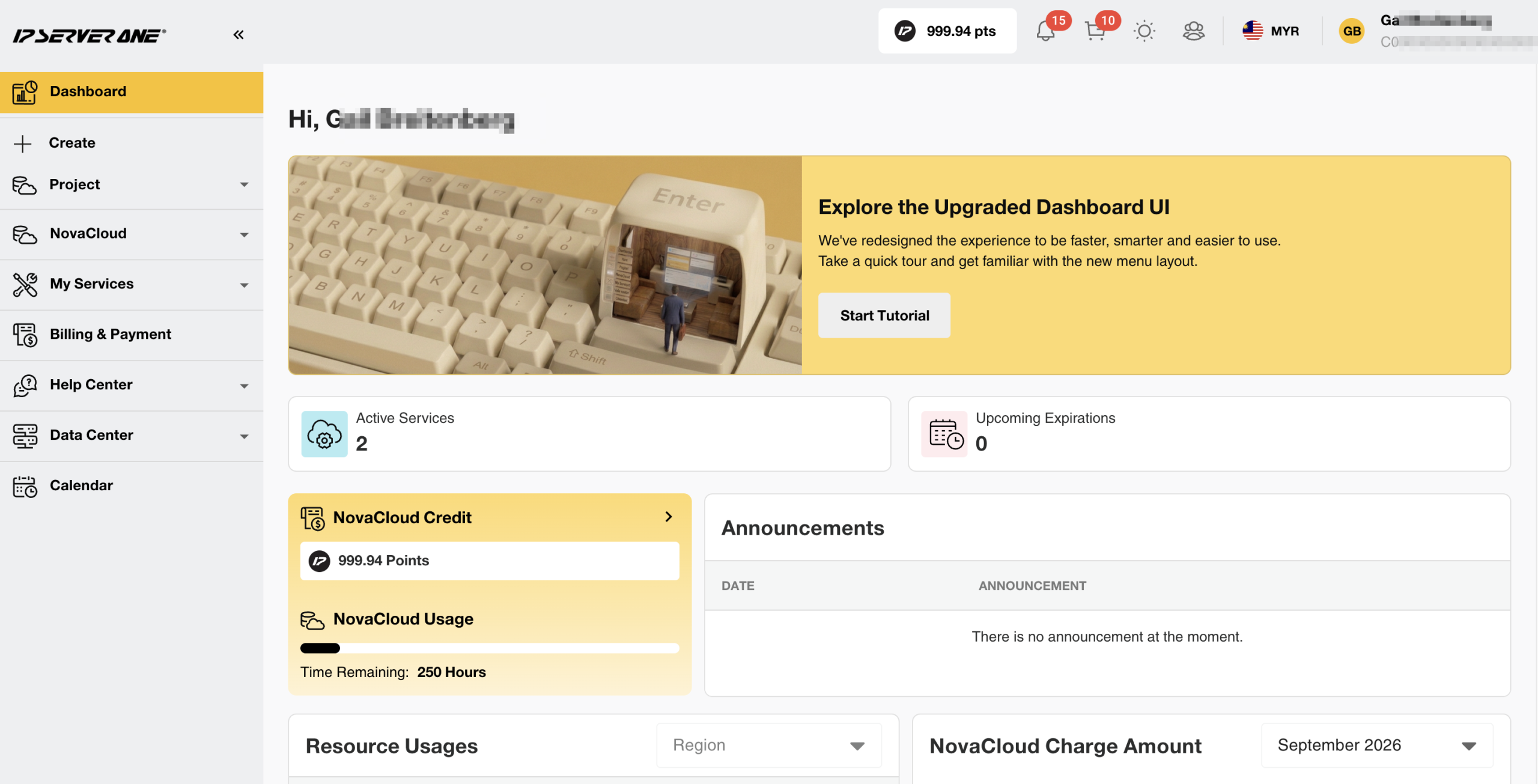
The redesigned Dashboard brings together the most important information across your account into a single view.
Tutorial Guide
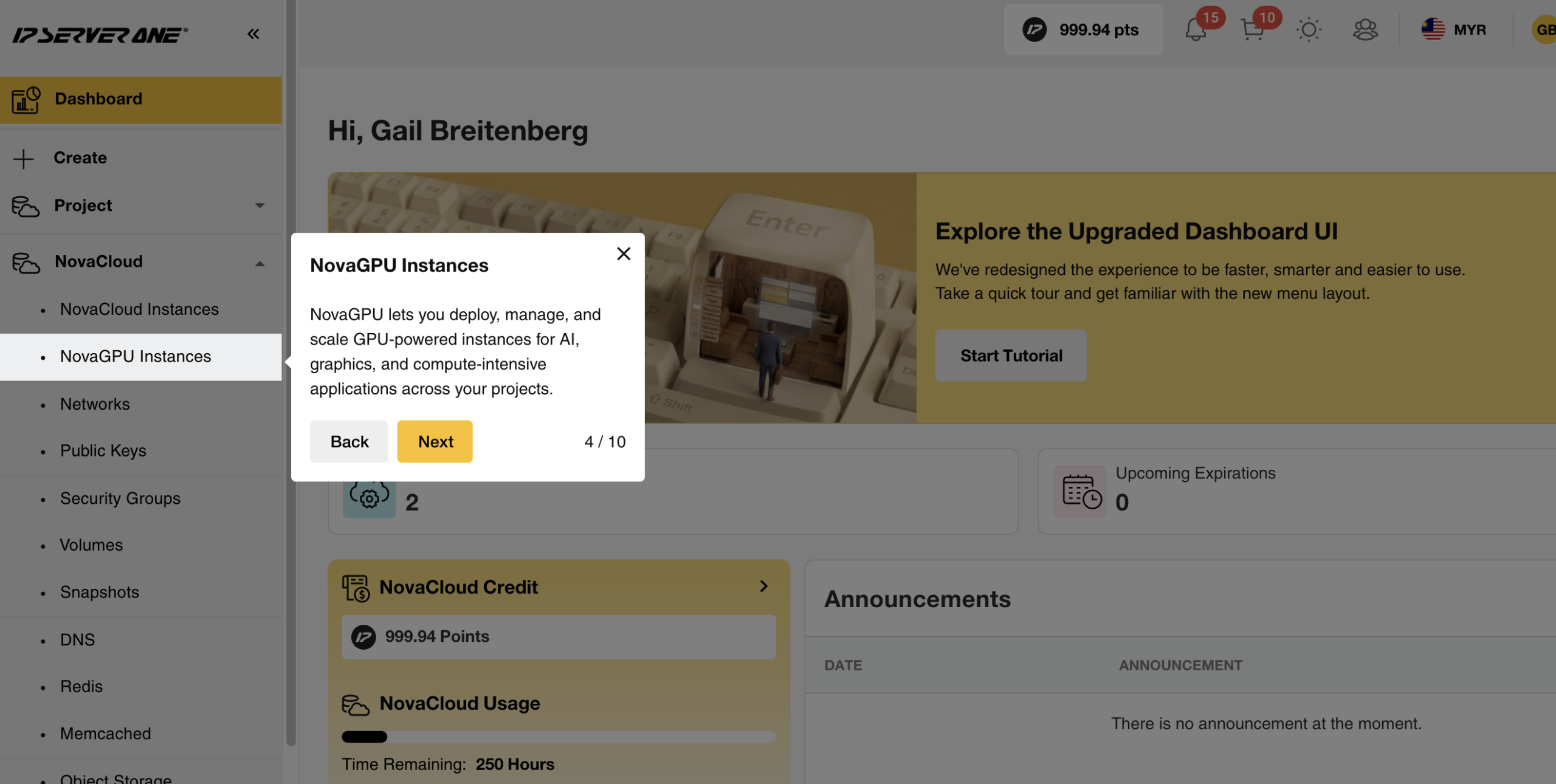
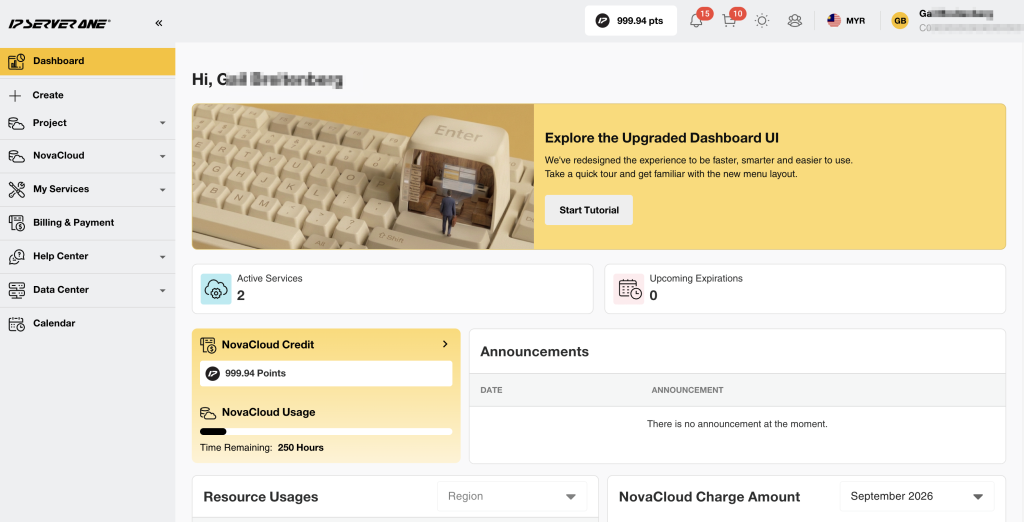
A built-in tutorial guide is available to help you navigate the portal.
Service Overview
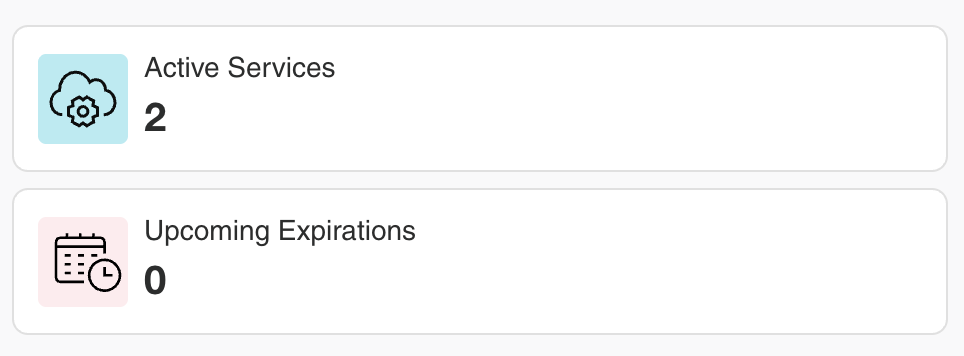
The Service Widget shows:
- Active Services
- Upcoming Expirations
NovaCloud Overview
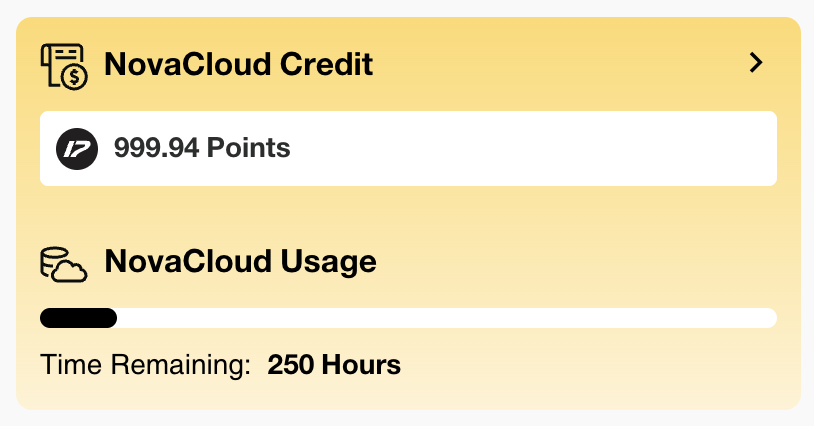
The NovaCloud Widget shows your NovaCloud credit and usage.
Resource Usage
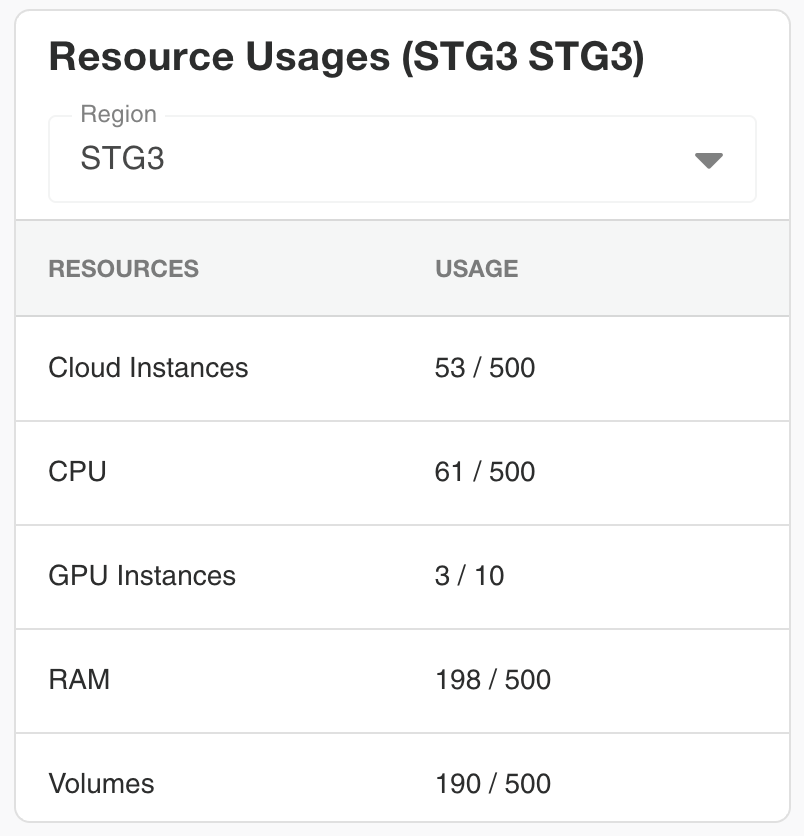
View your resource usage, including instances, CPU, and RAM, across all regions.
Domain Transfer Notifications
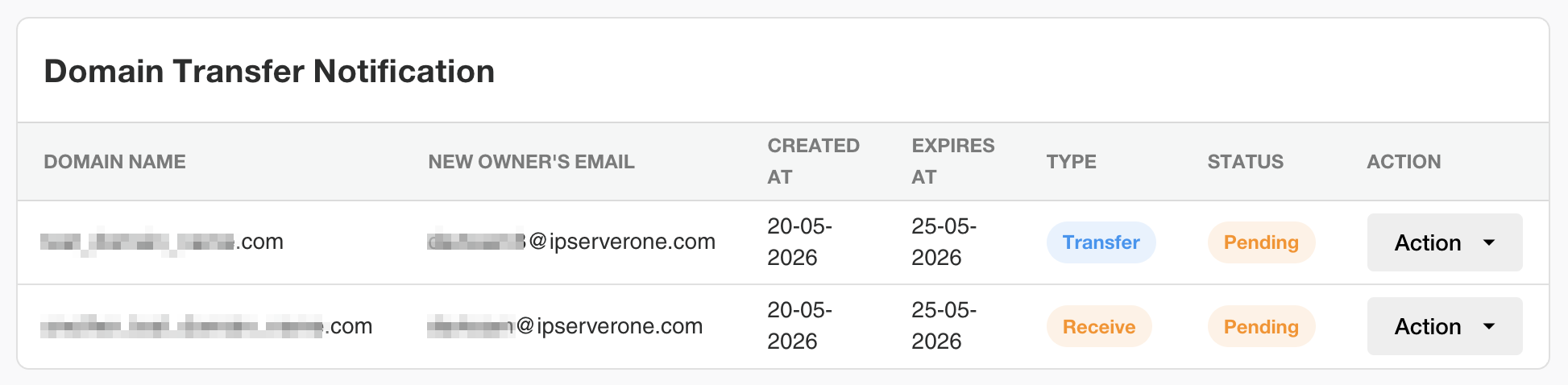
Track domain transfers into or out of your account.
Cloud Charges
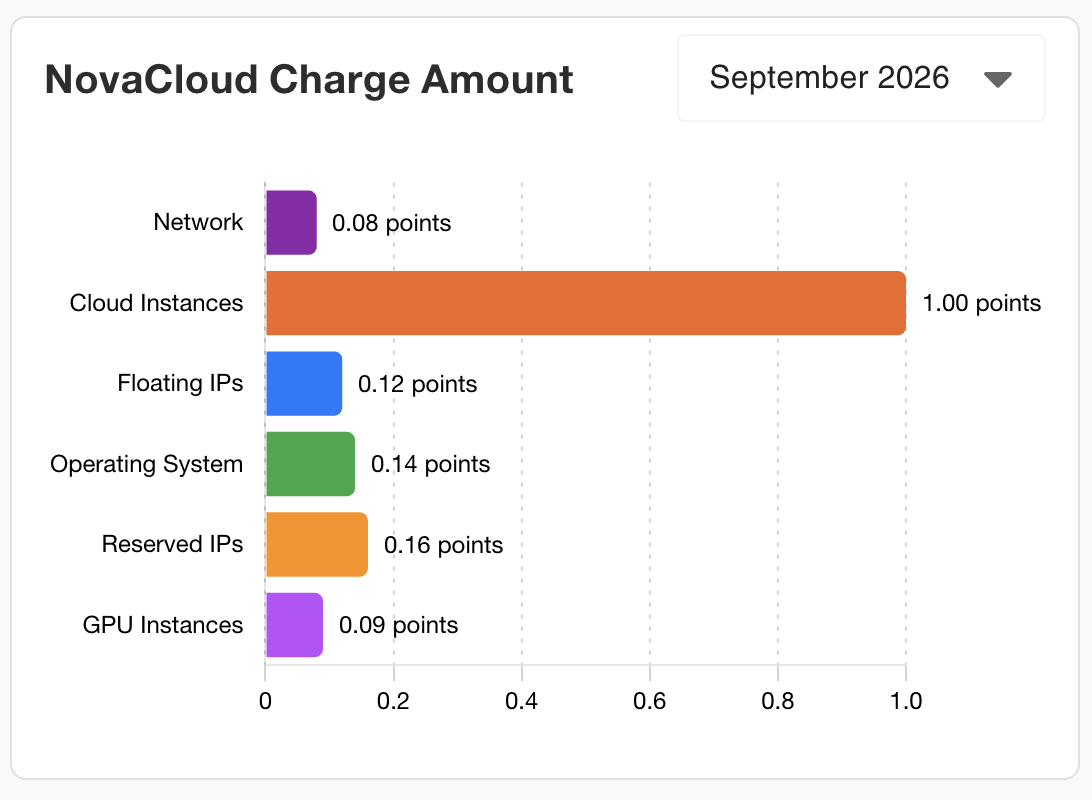
View your cloud charges by region.
Overall Spending
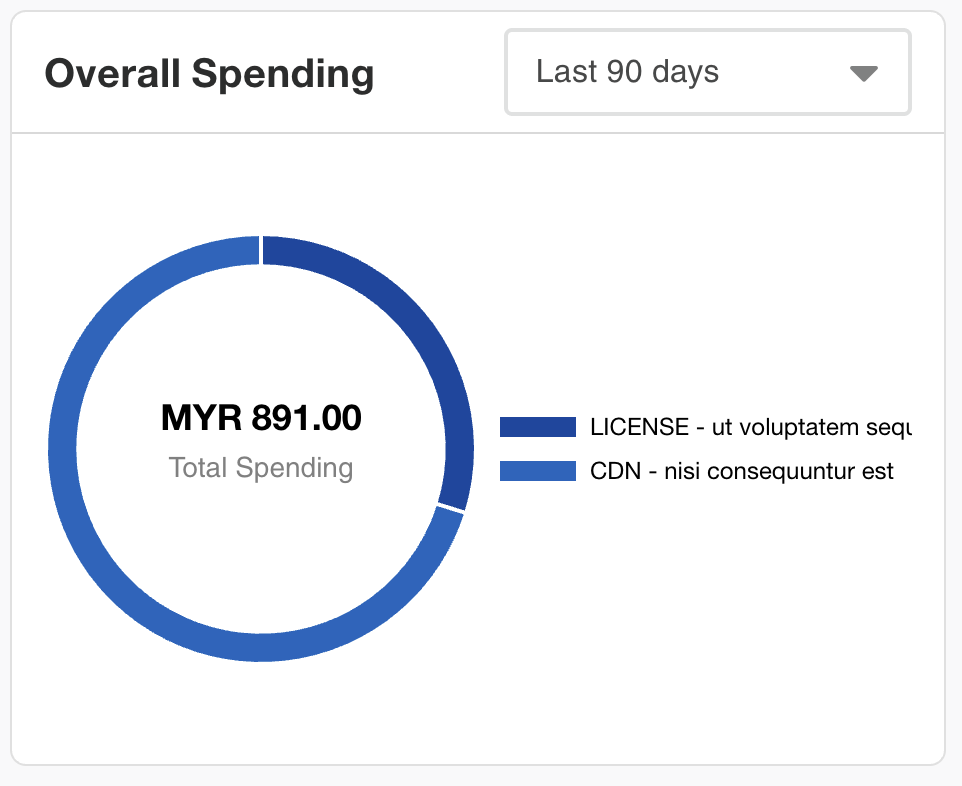
Review subscription service charges across your account.
Expiring Soon
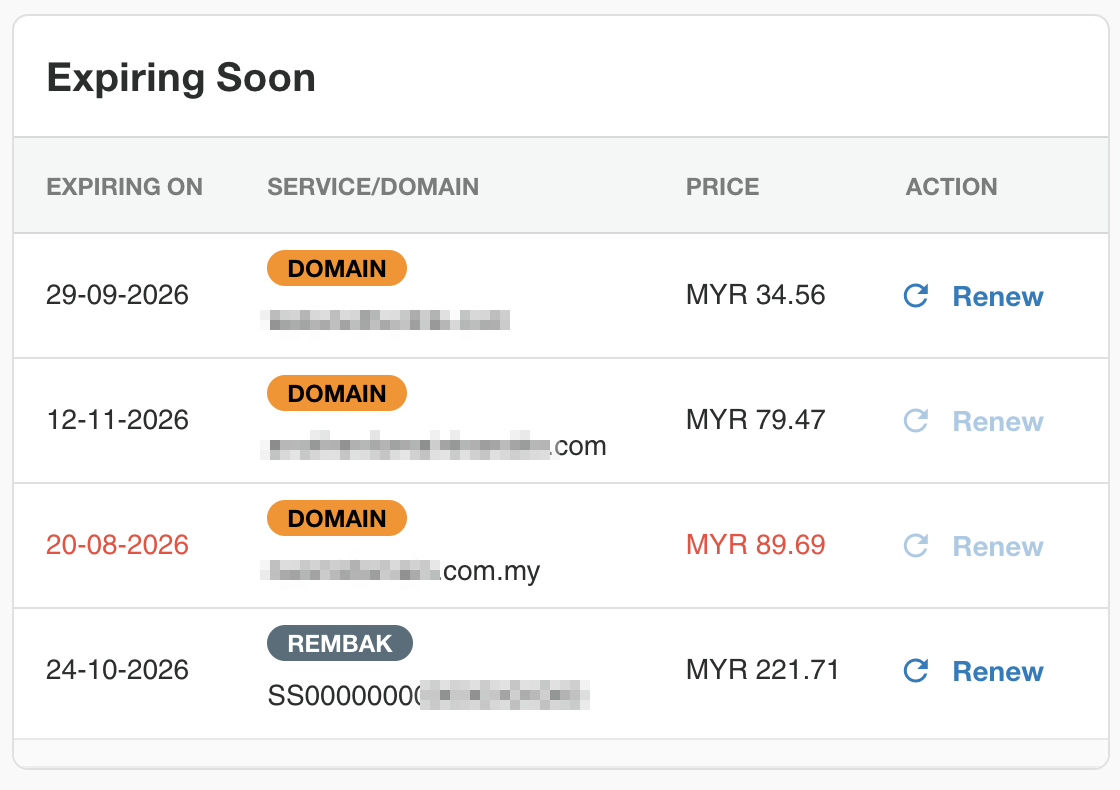
See services that are approaching their expiration dates.
Upcoming Bookings
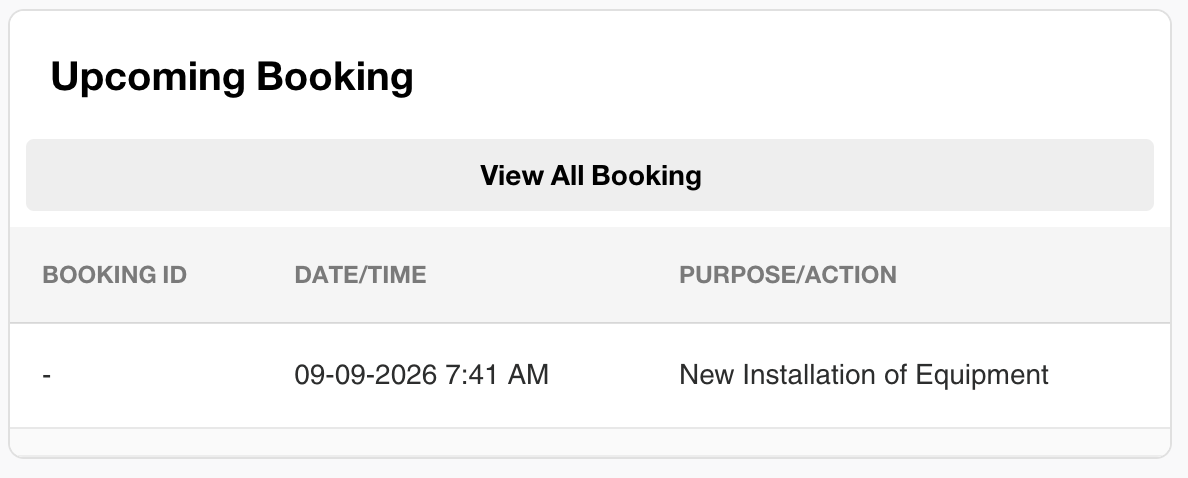
View upcoming data center visitation requests.
Recent Activity
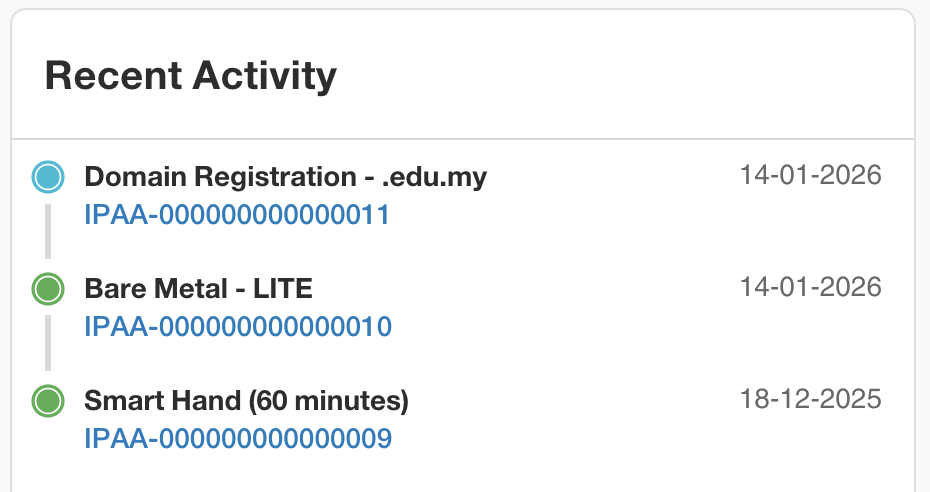
View recent activities across your account and regions.
3. A Dedicated Notification Center
Portal notifications now have their own dedicated Notification Center.
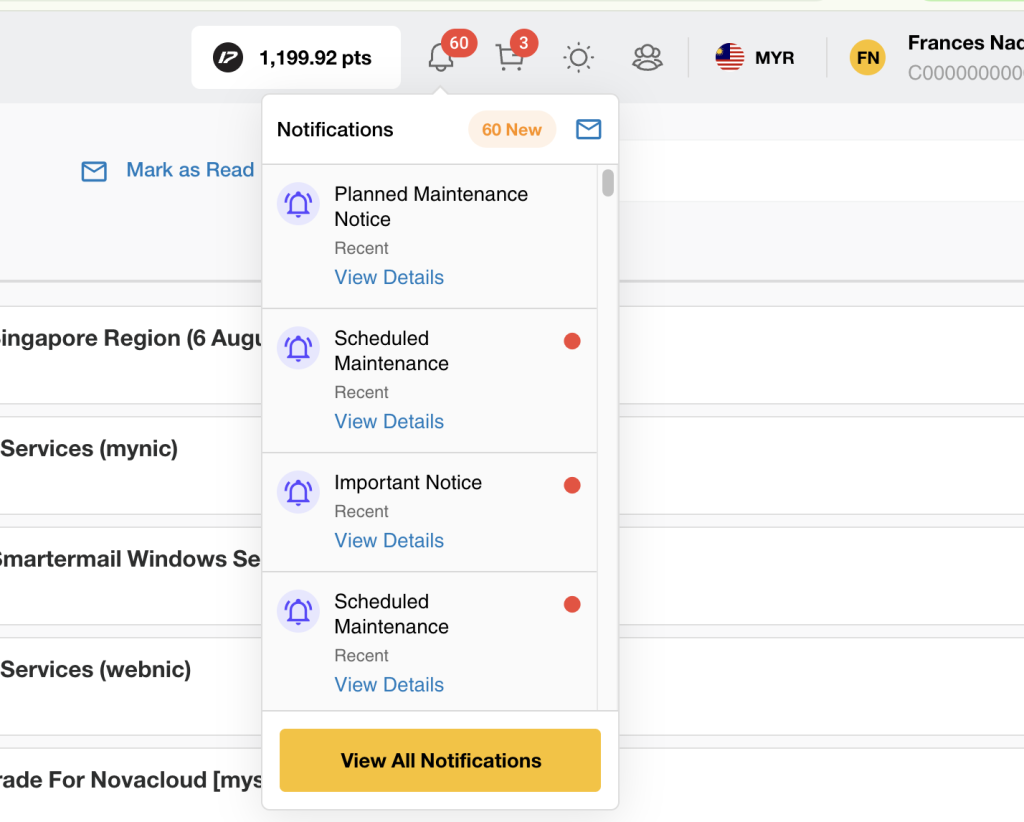
From a single location, you can view:
- Service announcements
- Important notices
- Cloud resources activity updates
Additional notification types, including alarms, billing events, support ticket updates, and maintenance notices, will be introduced in future updates.
4. Better Cloud Credit Management
Cloud Credit is no longer managed through a pop-up window.
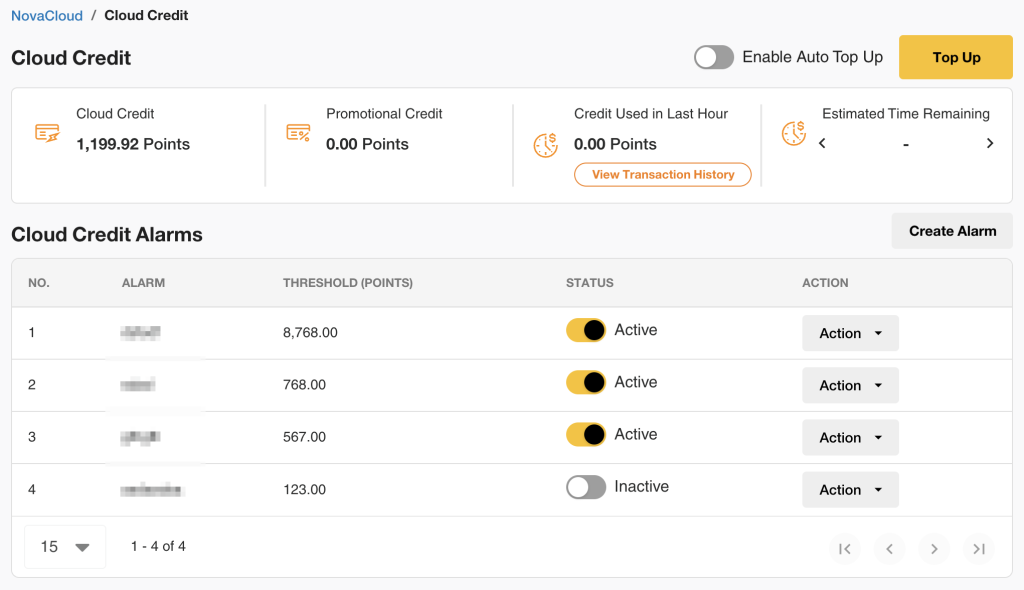
The new dedicated Cloud Credit page allows you to:
- View available credit balances
- Top up Cloud Credit
- Configure credit alarms
This provides greater visibility into your cloud spending and available balance.
5. A New Project Management Experience
Each project now has dedicated pages, giving you a clearer way to organize and manage your cloud resources.
Each Project page includes:
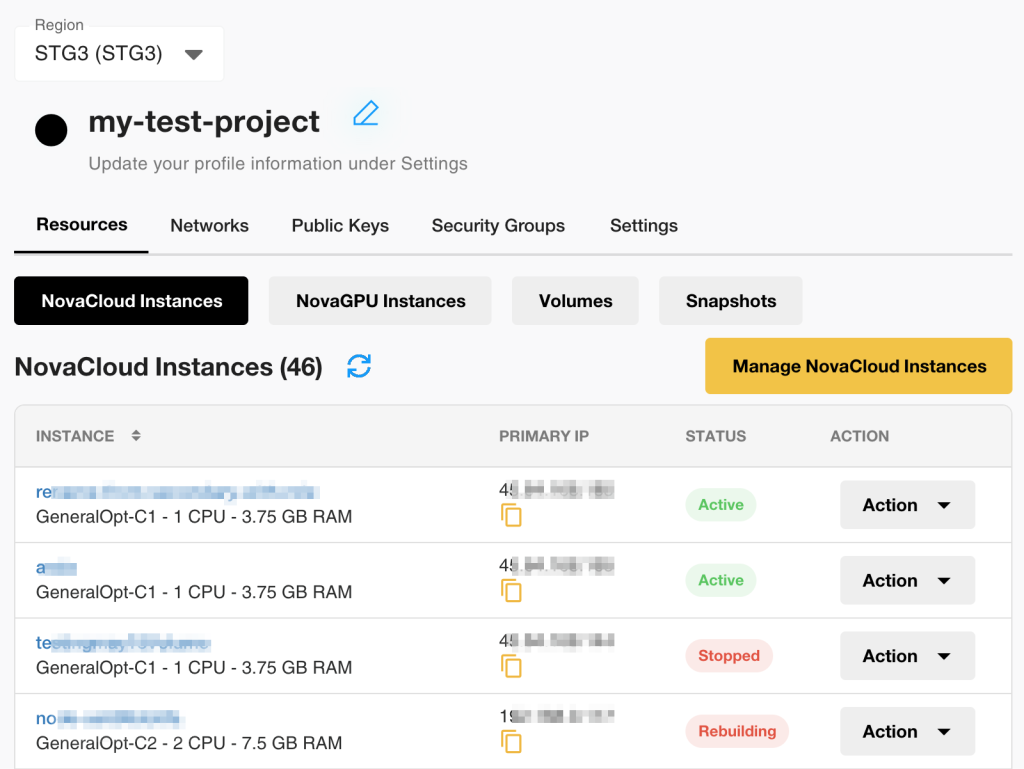
Region
Switch between available regions.
Public Keys
Manage your public keys.
Security Group
Manage security groups and their rules.
Resources
View resources associated with the Project, including:
- NovaCloud Instances
- NovaGPU Instances
- Volumes
- Snapshots
Expiring Soon
Manage the private networks associated with your cloud environment.
Project Settings
From Project Settings, you can access:
- About/Delete Project
- Transactions
*View the charge breakdown and transaction history for all NovaCloud services in the same region, across all Projects.
- Delegate Access
Note: Networks, Public Keys, and Security Groups are shared across all Projects within the same region.
6. Enhanced Cloud Instances Management
We’ve introduced several improvements to simplify cloud resource management.
i) NovaCloud and NovaGPU Instance Management
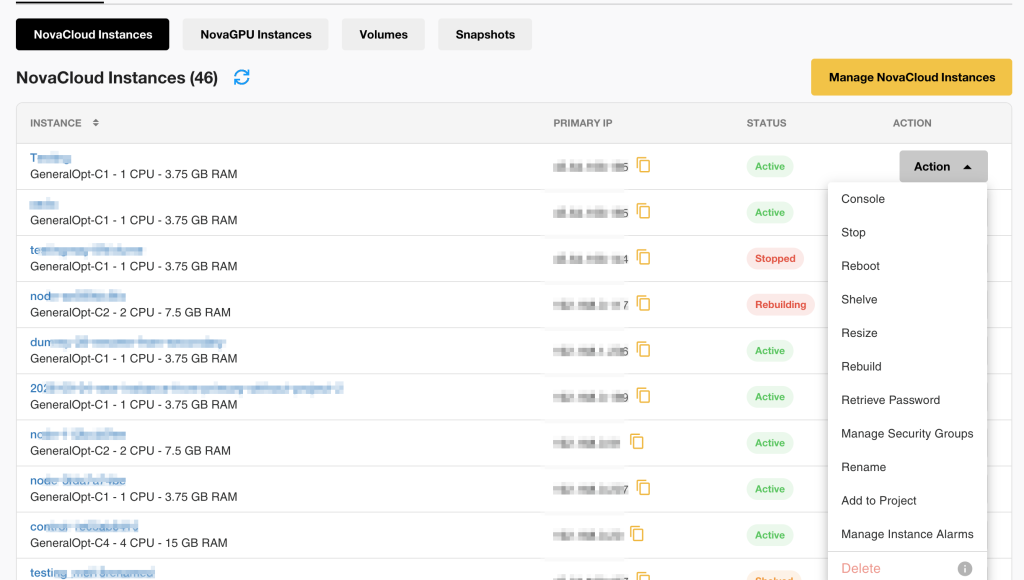
You can now:
- Change the region during instance configuration
- Rename instances directly from the Instance Details page
- View and manage Project resources, including NovaCloud and NovaGPU instances, volumes, and snapshots
ii) Volume Management
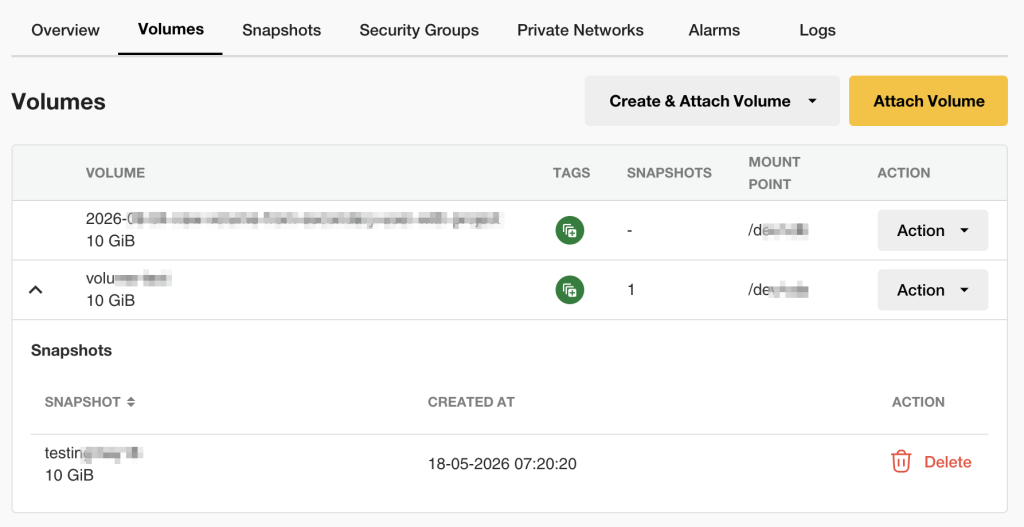
- The Storage tab has been renamed to Volumes.
- The snapshot count for each volume is now clickable, taking you directly to its snapshot page.
- If a snapshot requires the associated instance to be powered on, the portal can now guide you through the process by prompting you to start the instance directly, reducing the need to manually navigate between pages.
iii) Private Networks
The previous Networks tab has been renamed Private Networks, with several improvements:
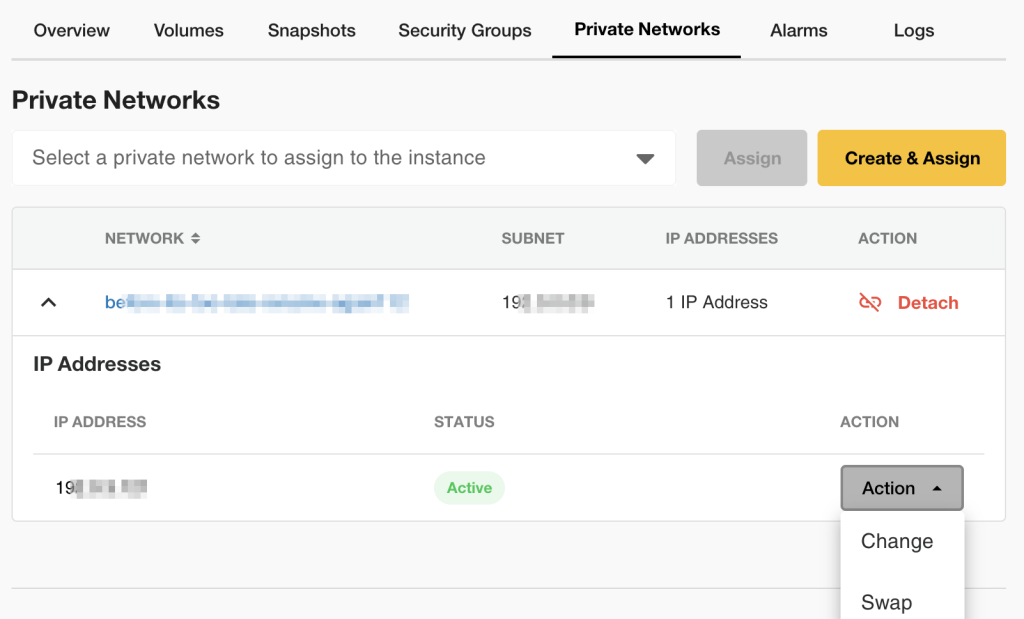
- Data transfer metrics are now available under the Overview tab
- IP addresses are now consolidated in the network table
- Data transfer alerts can now be viewed and managed under the new Alarms tab
- You can change or swap IP addresses via NovaCloud/NovaGPU → Instance Details → Private Networks
iv) Alarms
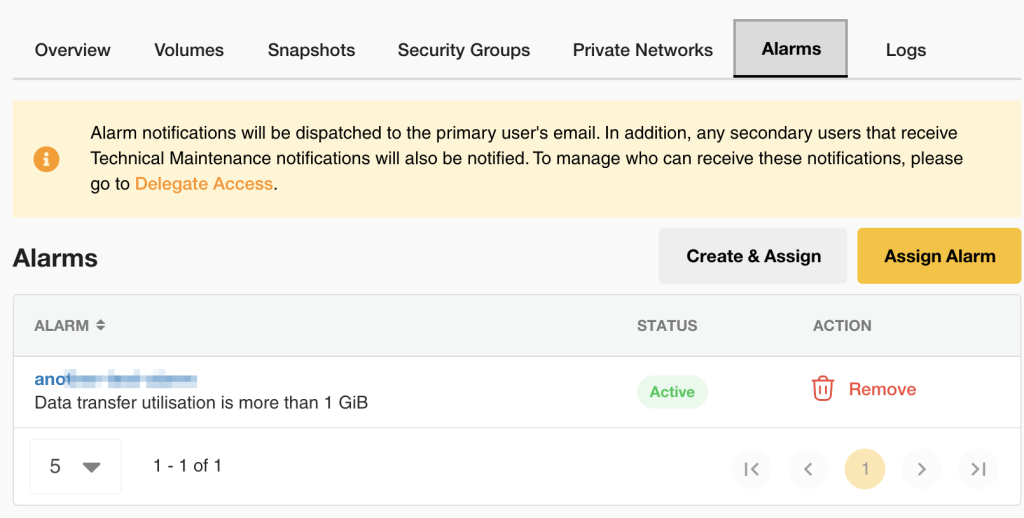
Create and manage data transfer usage alarms for your instances.
v) Activity Logs
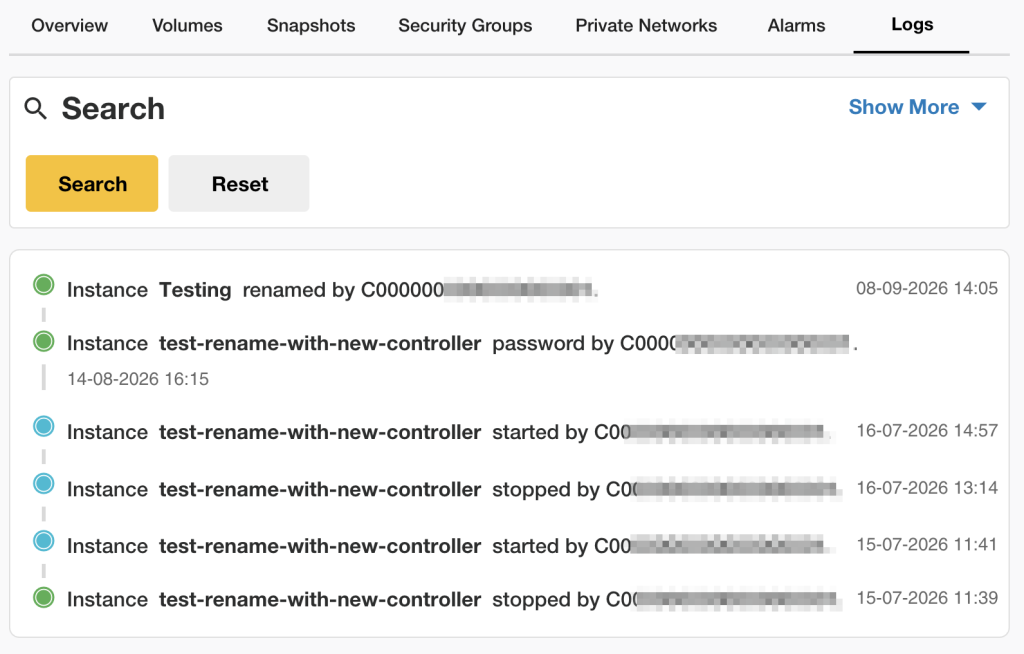
A new Logs tab provides an audit trail of activities performed across NovaCloud and NovaGPU resources within the same Region.
This makes it easier to track operational changes and troubleshoot issues.
7. More Control with Custom Roles in Delegate Access
This portal revamp introduces Custom Roles, giving account administrators more granular control over who can access and manage cloud resources.
Delegate Access
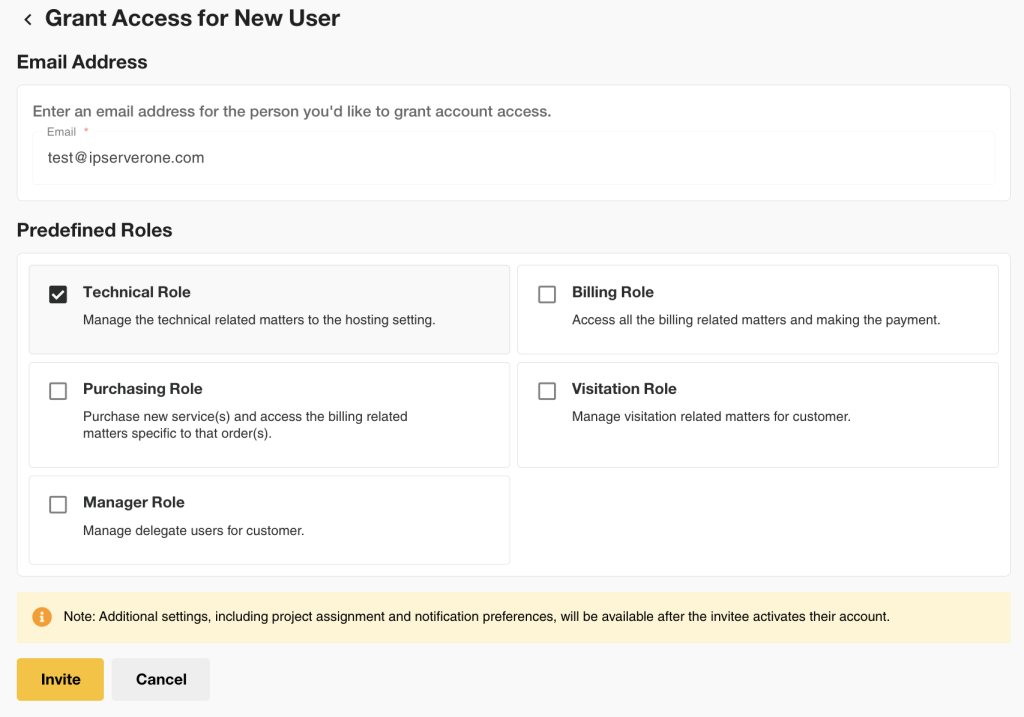
In the previous portal, Delegate Access allowed administrators to authorized users access to their portal account without sharing account credentials.
Administrators could assign predefined roles (Authorized Users) based on the user’s responsibilities:
- Technical
- Billing
- Purchasing
- Visitation
- Manager
Each role comes with its own access and notification settings. Learn more here.
Custom Roles (New)
With Custom Roles, administrators can now control which Projects an authorized Technical Role user can access, which cloud resources they can view or manage, and which actions they are allowed to perform.
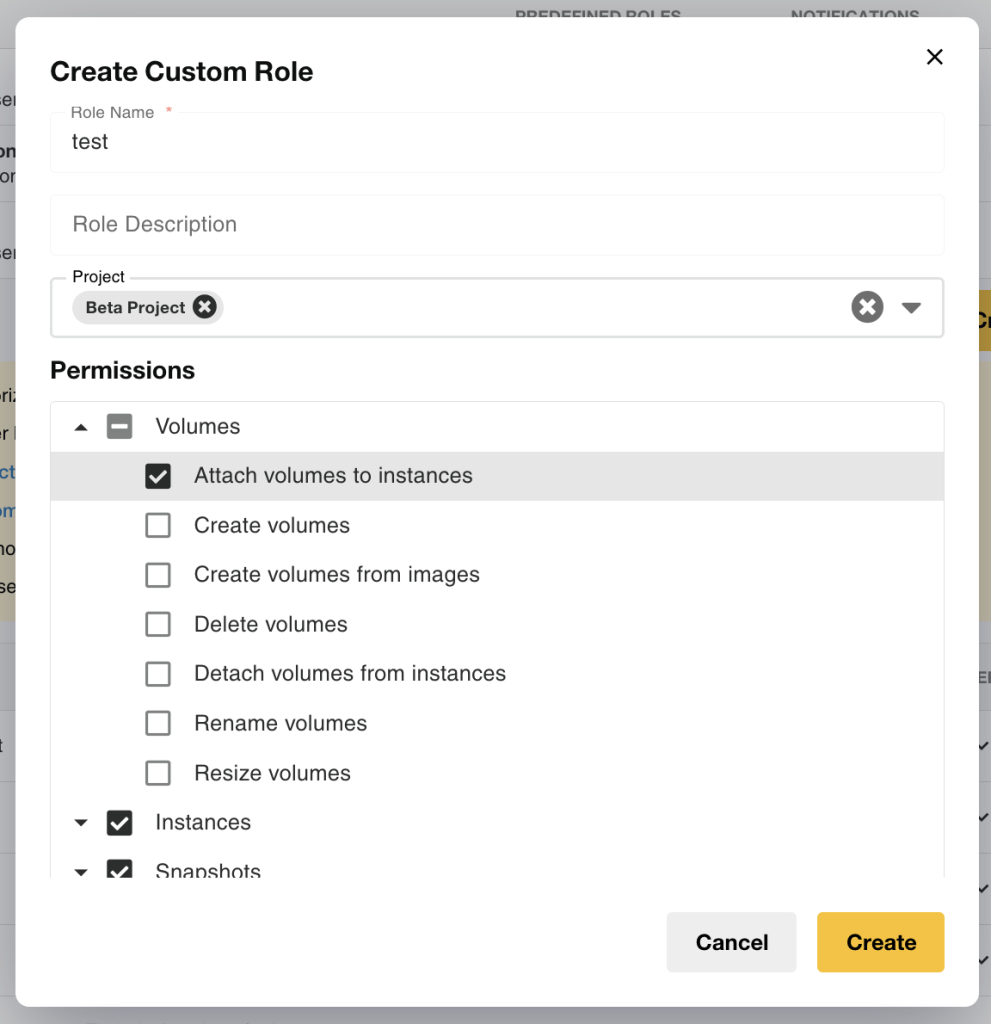
Custom Roles apply to Project resources, including:
- NovaCloud Instances
- NovaGPU Instances
- Volumes
- Snapshots
- Other supported Project resources
Examples of available permissions include:
- View Project details
- Create instances
- Resize instances
- Start, stop, reboot, or shelve instances
- Delete instances
- Manage volumes and snapshots
How It Works
Prerequisite: The user must first be added as an Authorized User under the administrator’s account and assigned the Technical role before a Custom Role can be assigned.
- Create a Custom Role.
- Select the Projects and permissions the user should have access to.
- Assign the Custom Role to the authorized user.
Once assigned, the Custom Role determines which Projects and cloud resources the user can access and which actions they can perform.
Note: The assigned user can only access the Projects and resources included in their Custom Role. Administrators retain access to all Projects and resources.
8. Improved Billing & Payment Management
Billing & Payment has been reorganized to make financial management easier. Key improvements include:
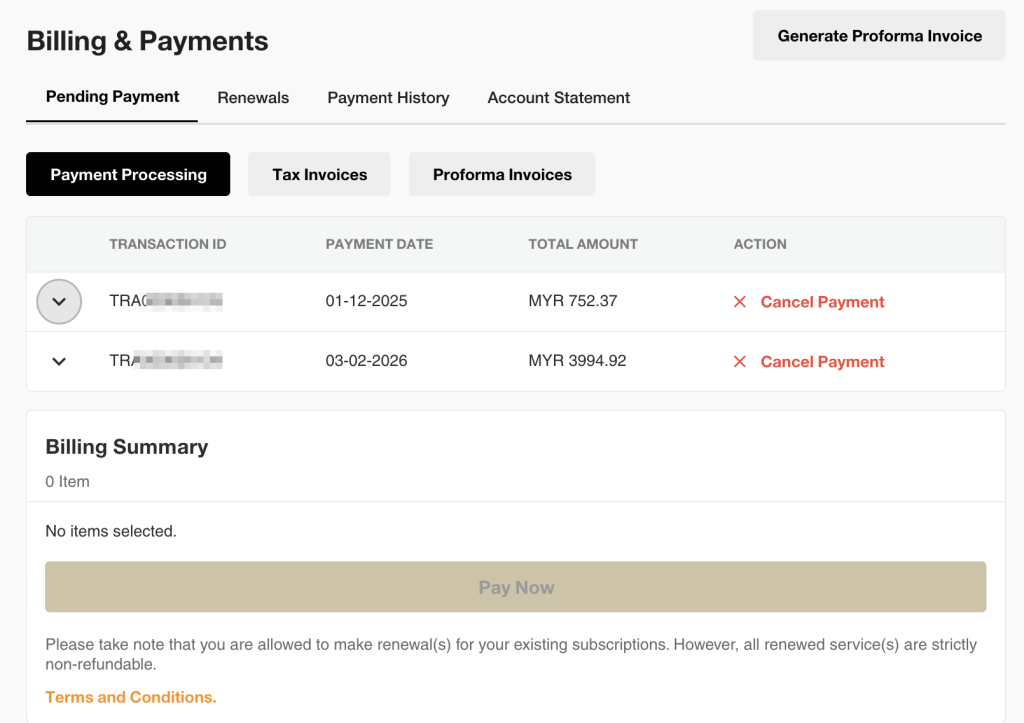
| Renewals | A dedicated Renewals section is now available under Billing & Payment. |
| Payment Processing |
The previous Pending Transaction label has been renamed Payment Processing. Search and filter options are also available directly for Tax Invoices and Proforma Invoices. |
| Payment History | Transaction History has been renamed Payment History. |
| My Services | Proforma Invoices for all your services are now available in a dedicated tab, making them easier to find without going through the Actions menu. |
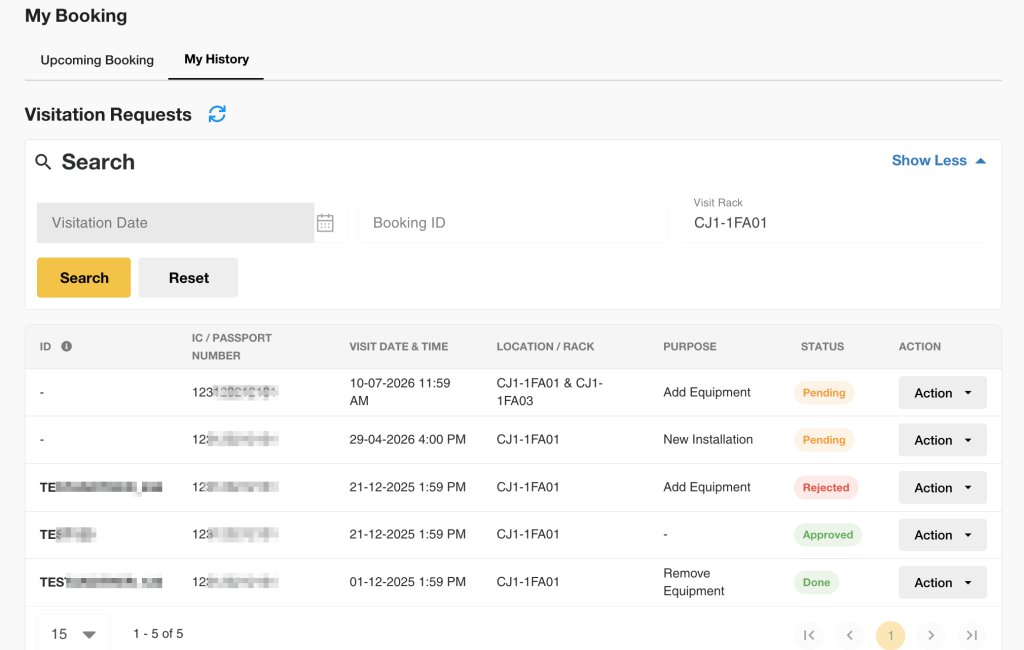
9. Data Center Management
Bookings are now organized into two separate tab:
- Upcoming Bookings
- Booking History
Making it easier to track both current and past visits.
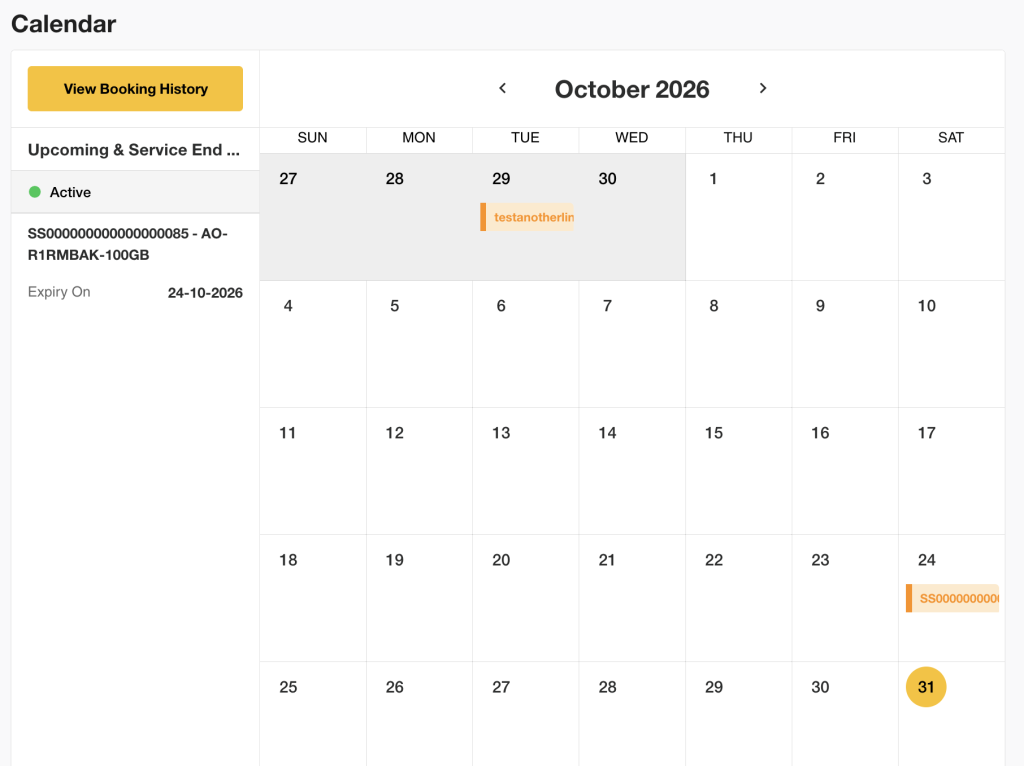
10. New Calendar View
The new Calendar provides a consolidated monthly view of important account events, including:
- Service expirations
- Renewal dates
Helping you stay ahead of upcoming actions and deadlines.
11. A More Streamlined Checkout Experience
We’ve also improved the Shopping Cart and service ordering workflows.
Purpose of Usage
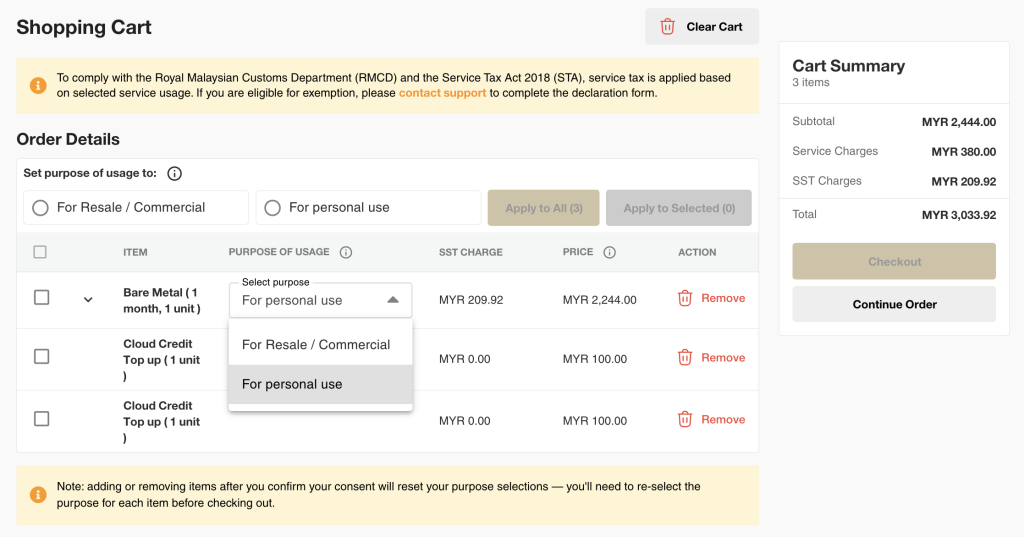
Where applicable, you can select the Purpose of Usage for tax declaration purposes.
You can update the purpose individually or select multiple items at once.
12. Everyday Productivity Improvements
Alongside the major features, we’ve introduced numerous usability enhancements throughout the portal.
These include:
| Search and Filter |
Search and filter services, invoices, cloud resources, and support tickets more easily.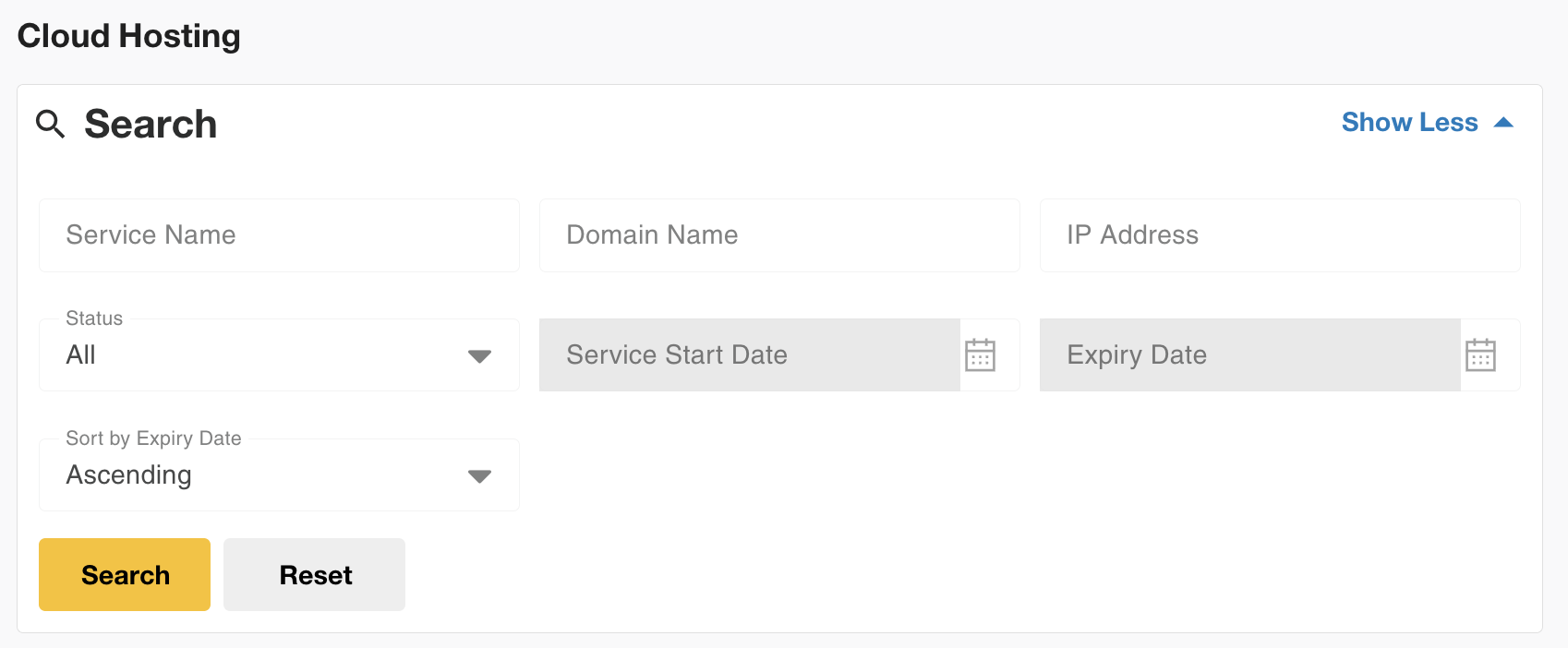
|
| Sorting |
Sorting buttons have been added to supported tables, allowing you to sort information from A–Z or Z–A.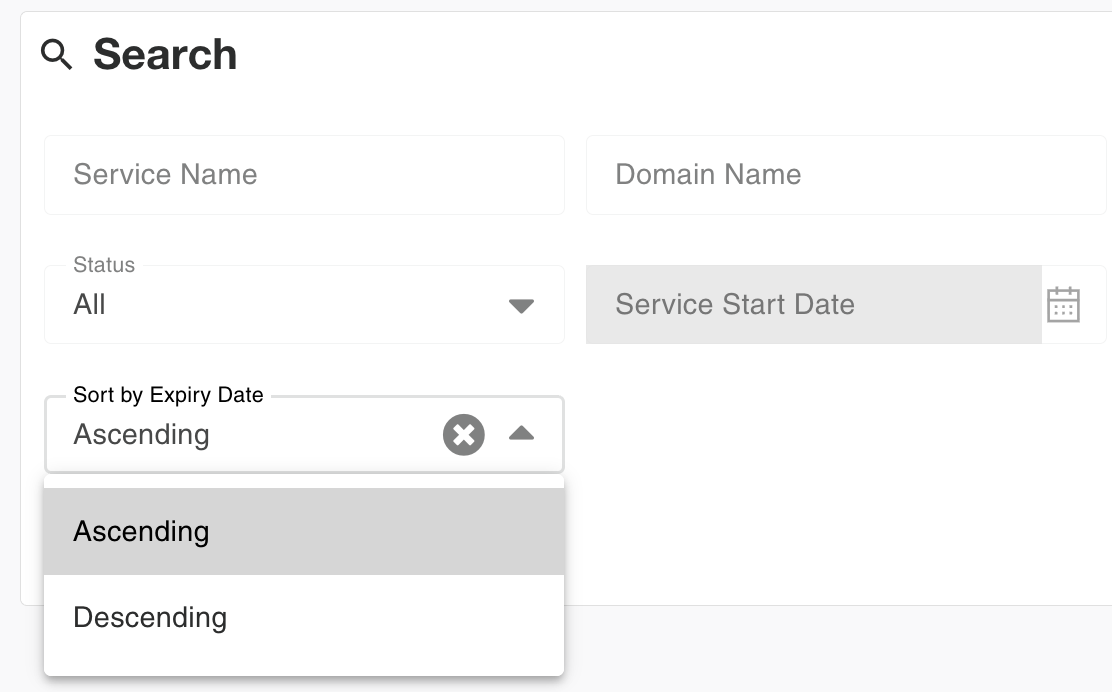
This is available across areas such as: Projects NovaCloud Instances NovaGPU Instances Private Networks Public Keys Security Groups Volumes Snapshots Object Storage buckets Monitoring alarms My Services |
| Bulk Delete |
You can now delete multiple resources at once for: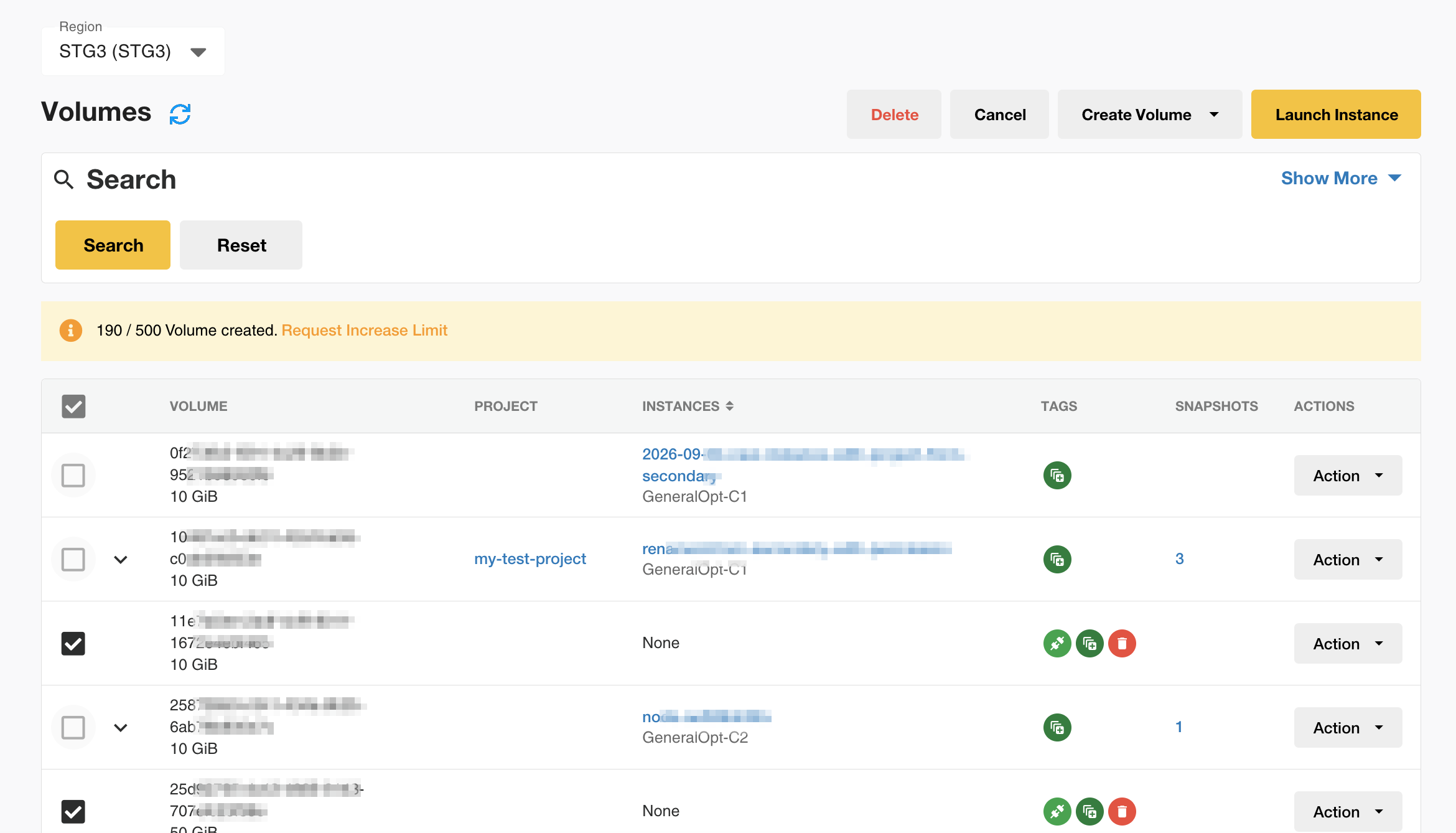
Public Keys Security Groups Volumes Snapshots |
These smaller improvements help reduce repetitive tasks and make information easier to find.
Looking Ahead
This portal revamp represents one of the most significant improvements to the IP ServerOne Customer Portal to date. While this update introduces many new capabilities, we’ll continue to enhance the platform based on customer feedback and evolving needs.
We hope these improvements make it easier for you to manage your services, collaborate with your team, and get more value from our platform.
If you encounter any issues or need help finding a feature or setting, please contact our Customer Support team at cs@ipserverone.com or 03-2026 1688. You can also submit a support ticket through the Customer Portal.
Log in to the IP ServerOne Customer Portal and explore what’s new.
Frequently Asked Questions
When will the revamped Customer Portal be available?
The revamped IP ServerOne Customer Portal will go live on September 15, 2026, at 10:00 PM.
Do I need to do anything before September 15?
No. No action is required before the revamped portal goes live. You can continue using the current portal as usual.
Once the revamped portal is available, simply log in using your existing username and password.
Why are some icons or page elements missing in the revamped portal?
After a major portal update, your browser may still be loading older cached files. This can occasionally cause icons, menus, or other interface elements to appear incorrectly or not display at all.
To resolve this, clear your browser cache and refresh the page. Once the latest portal files are loaded, the issue should be resolved.
Will my services be affected by the portal revamp?
No. The portal revamp only changes the Customer Portal interface, navigation, and user experience. Your existing services, subscriptions, and cloud resources will continue to operate normally.
Will there be any downtime or service interruption?
No downtime or service interruption is expected during the transition.
Do I need to reconfigure Two-Factor Authentication (2FA)?
No. Your existing Two-Factor Authentication (2FA) settings will remain unchanged.
Do I need to update my username or password?
No. You can continue using your existing Customer Portal username and password to access the revamped portal.
Do I need to recreate my cloud resources or Projects?
No. You do not need to recreate or move your existing resources or Projects.
Your existing NovaCloud Instances, NovaGPU Instances, Volumes, Snapshots, Networks, Projects, and other supported resources will remain available after the transition.
What happens to resources that are not currently assigned to a Project?
Resources that were previously not assigned to a specific Project will be placed under the Beta Project.
This ensures that these resources remain accessible to primary users and existing secondary Technical Role users after the portal transition.
What is the Beta Project?
The Beta Project contains NovaCloud resources that were previously not assigned to a specific Project. It was created to ensure your authorized Technical users can continue accessing these resources during the portal transition.
These resources are accessible through the Global Access custom role, allowing Technical Role users to view and manage them.
Once the revamped portal is live, primary account users can organize these resources into their preferred Projects, rename or delete the Beta Project, or update its access settings as needed.
Will my existing Delegate Access settings remain in place?
Yes. Existing Authorized Users in the Delegate Access settings will remain available after the portal revamp.
Primary account users can continue managing their Authorized Users and can optionally use Custom Roles for more granular control over access to cloud resources.
Can secondary Technical Role users still access my cloud resources after the transition?
Yes. Existing secondary Technical Role users will continue to have access to the relevant NovaCloud and NovaGPU resources after the transition.
Resources that were previously not assigned to a Project will be placed under the Beta Project with Global Access to maintain access during the transition.
What are Custom Roles?
Custom Roles allow primary account users to define granular permissions for Authorized Users assigned the Technical Role.
Administrators can control:
- Which Projects a Technical Role user can access
- Which cloud resources they can view or manage
- Which actions they can perform
Examples of available permissions include creating, resizing, starting, stopping, rebooting, shelving, or deleting instances, as well as managing volumes and snapshots.
Who can create or assign Custom Roles?
Only the primary account user can create and assign Custom Roles.
Before a Custom Role can be assigned, the user must first be added as an Authorized User and assigned the Technical Role.
Can a Technical Role user access NovaCloud resources by default?
No. Technical Role users do not automatically have access to NovaCloud resources.
The primary account user must assign an appropriate Custom Role to give the user access to specific Projects, resources, and actions.
Do I need to create Custom Roles immediately after the portal goes live?
No. Custom Roles are optional and can be configured when needed.
However, if you create new NovaCloud or NovaGPU resources after the portal goes live and want a secondary Technical Role user to access them, you will need to assign the resources to an appropriate Project and configure a Custom Role with the required permissions.
What happens if I don’t configure any Custom Roles?
You do not need to configure Custom Roles immediately after the portal goes live.
Custom Roles are intended to give primary account users more granular control over secondary Technical Role user access. You can create or update Custom Roles later when needed.
Can I change a user’s access later?
Yes. Primary account users can update Custom Roles and change a user’s Project and resource access when needed.
Can I manage the IP ServerOne Customer Portal from my phone?
Yes. The revamped Customer Portal is mobile responsive, allowing you to access supported portal functions from a mobile device.